







Start your cross-border journey
Contact us now

Website development customer service

Customer Service

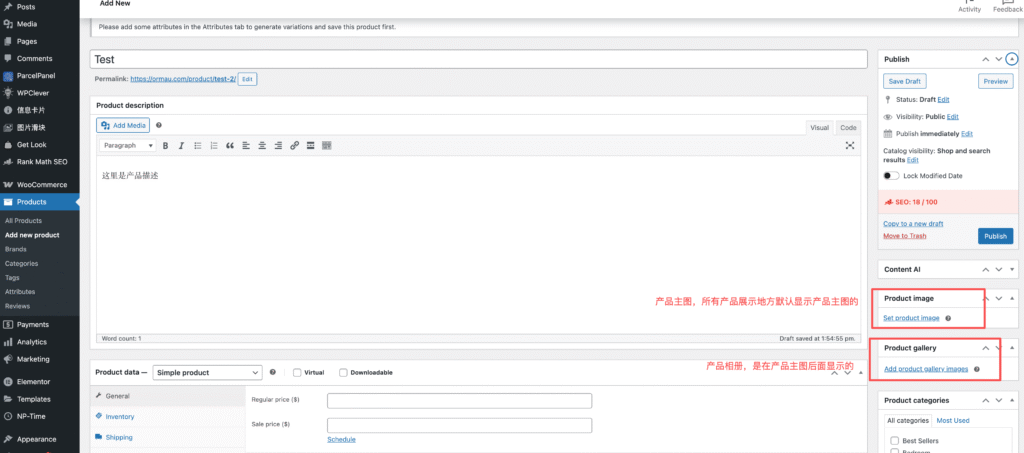
1、Preferred to create products in the background
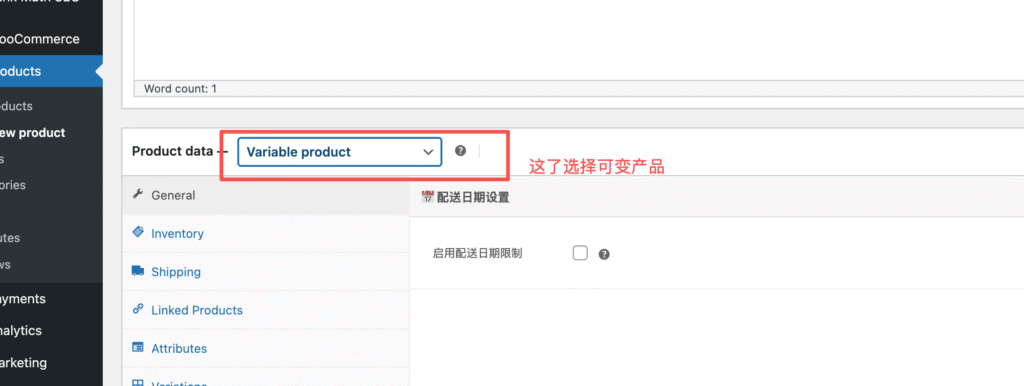
2、Creating variable products
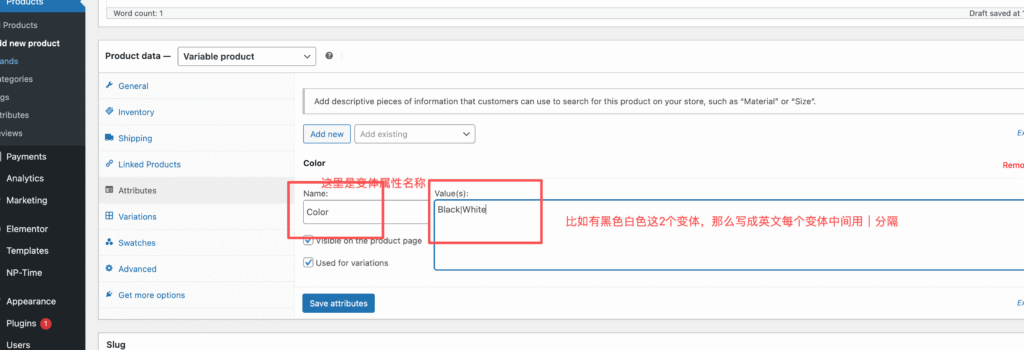
3、Create properties
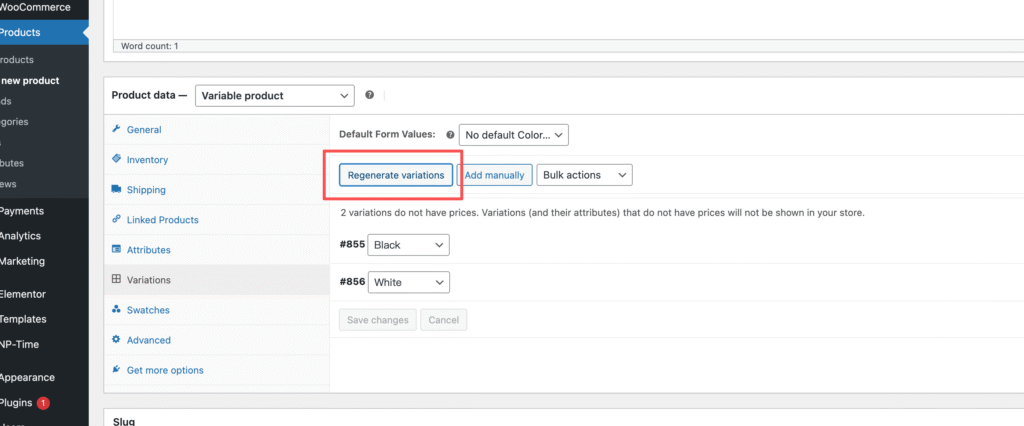
4. Generate variant properties, click Generate Variant
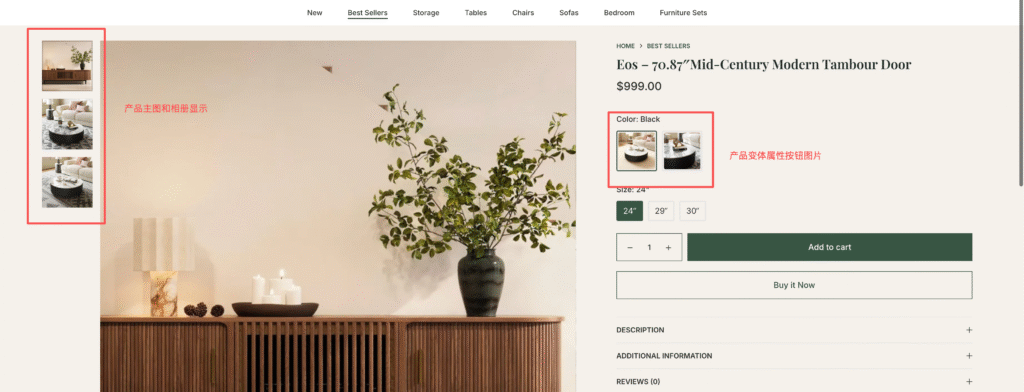
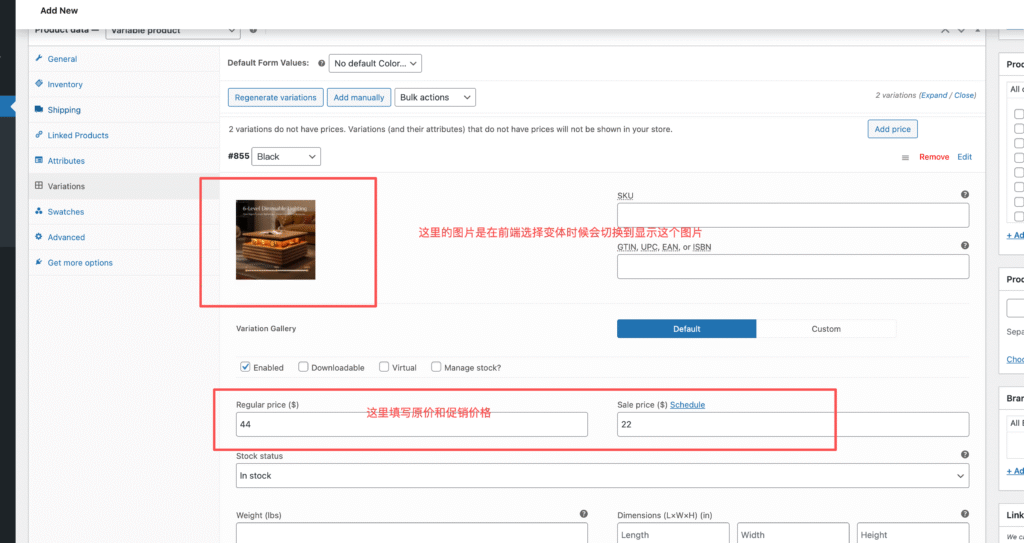
5. Add pictures and prices to each variant
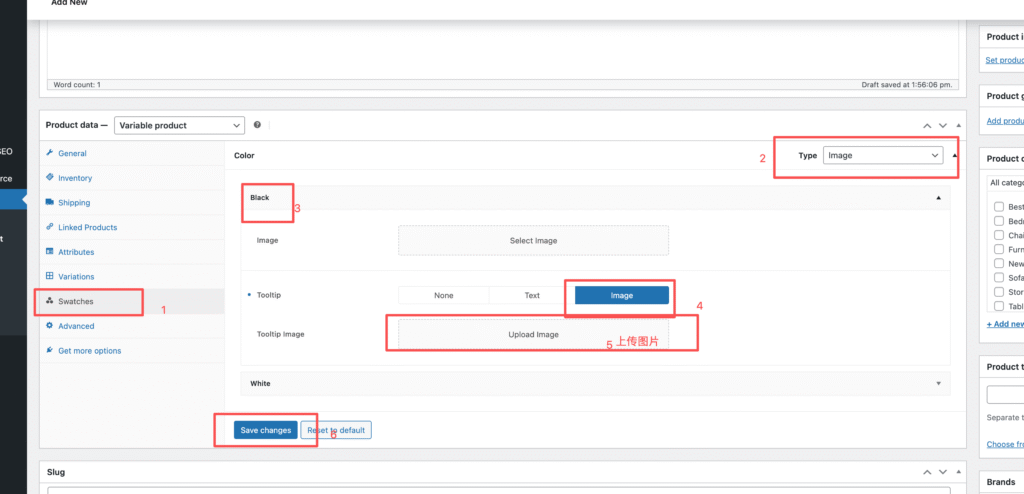
6, add good information, set the variant button attribute image display
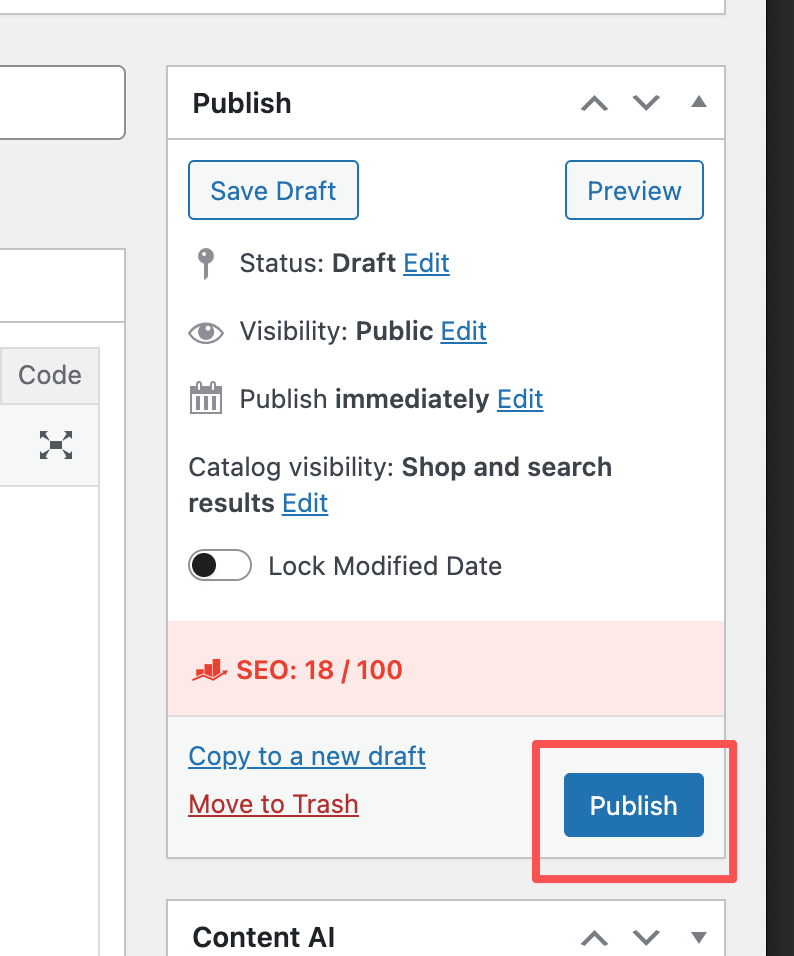
7. Click Update to save
8. Front-end display